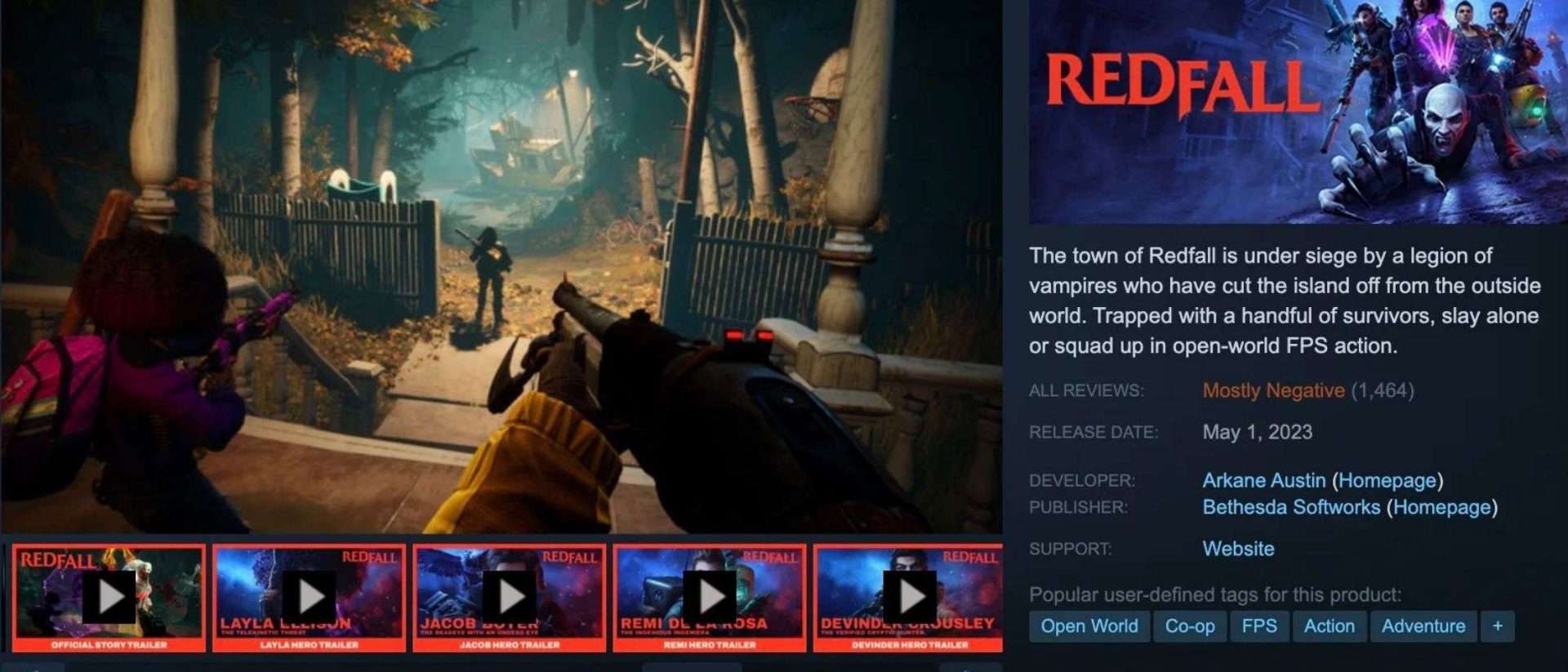
Game Trailer on Steam: How to Make Yours Pop and Get Players Hooked
If you’ve browsed Steam, you know that the little video at the top can make or break a sale. Your game trailer on Steam is your instant pitch, seconds to hook someone, spark a wishlist, or land a buy. Think of it as your game’s handshake, mood-setter, and hype reel all in one.
In this guide, we’ll cover why trailers matter, the main types you can use, how to structure one that works, mistakes to avoid, how Steam displays them, and tips for uploading and marketing so you can turn casual browsers into excited players. Let’s transform your trailer from ‘meh’ to ‘must-buy.’
Why Your Steam Game Trailer Matters More Than You Think
Steam is packed. There are thousands of games released every year. Players don’t have the time (or patience) to read every description in detail. Your trailer? That’s your instant handshake.
A killer trailer does a few big things:
- Makes a strong first impression: It’s often the first thing people see after your cover art and title.
- Drives wishlists: Even if players aren’t ready to buy, a trailer that sticks in their head gets you on their “come back later” list.
- Works everywhere, not just Steam: Social media, YouTube, gaming news sites, they all love a good trailer.
Sets the right expectations: If your trailer matches your actual gameplay experience, players trust you more (and leave better reviews).
And honestly? If your trailer is boring or confusing, people will leave before they even notice your “Overwhelmingly Positive” reviews.
>>> Read more: Creating the Perfect Game Trailer Animation – The Step-by-Step Guide
The Different Types of Steam Game Trailers
Okay, so you’re ready to make a trailer, but which type? Steam actually lets you upload multiple, so you can mix and match depending on your marketing phase. Here are the main ones:
Announcement Trailer
Think of this as your “Hey world, I exist” moment.
- Purpose: Hype people up and let them know the game’s coming.
- Content: Quick flashes of gameplay or cinematic moments, just enough to tease without giving away everything.
- When to use: Early in development, to start building buzz.
Gameplay Trailer
This is the “show, don’t tell” trailer.
- Purpose: Show exactly what playing your game feels like.
- Content: Actual gameplay footage, edited to highlight exciting or unique mechanics.
- When to use: Once you have polished gameplay ready to show off.
Launch Trailer
This one’s the victory lap.
- Purpose: Announce your release and drive immediate sales.
- Content: Your best gameplay moments, any glowing review quotes, and a clear “available now” message.
- When to use: Right before or on your release date.
Update/DLC Trailer
Perfect for keeping your game alive post-launch.
- Purpose: Show off what’s new to bring back old players and tempt new ones.
- Content: New maps, characters, features, or story expansions.
- When to use: Whenever you release significant new content.
Why this matters: Using different trailer types over time keeps your Steam page fresh and shows players you’re active.
>>> Read more: What is storyboard? Read this to learn the importance and how to draw a storyboard
The Anatomy of a Perfect Steam Game Trailer
Making a trailer that works is all about grabbing attention, keeping it, and leaving the viewer wanting more. We’ve binge-watched more Steam trailers than we’d like to admit (yes, it was “research”), and the great ones all nail these elements:
Grab Them in the First 5 Seconds
On Steam, people are scrolling fast. You’ve got a tiny window before they move on, so skip the long fades, studio logos, or drawn-out intros. Instead, open with something that slaps them awake:
- A stunning in-game visual that makes them stop scrolling.
- A jaw-dropping moment from your story.
- A unique mechanic or gameplay feature in action, something that makes them think, “Oh, I haven’t seen that before.”
Those first frames also autoplay silently on Steam, so make sure the visuals alone grab attention even without sound.
>>> Read more: 5 Steps to Create A Game Trailer Which is Fantastic
Show What the Game Actually Is
This sounds obvious, but you’d be surprised how many trailers hide gameplay until the last 10 seconds or skip it entirely for moody cinematics. That’s a fast way to confuse viewers.
- Show your core gameplay loop early.
- Highlight what the player will actually do.
- Mix in cinematic moments if you want, but gameplay should be the backbone.
The goal is for viewers to walk away knowing exactly what kind of experience they’ll get.
Keep the Energy Flowing
A good trailer feels like a ride; it has pace, momentum, and a clear flow.
- Start intriguing: give a glimpse of your world or tone.
- Build up: layer in bigger moments, boss fights, or surprising mechanics.
- Peak: hit your most exciting sequence.
- End with a punch: something memorable to stick in their head.
This pacing keeps viewers engaged and prevents the “oh, I’ve seen enough” click-away.
Pick Music That Fits Like a Glove
Your soundtrack isn’t just background noise; it’s an emotional driver. It sets the tone and shapes how people feel about what they’re seeing.
- Match genre and vibe: fast-paced rock for action games, soft piano for emotional narratives, eerie tones for horror.
- Make sure the music and visuals sync; big beats on big moments.
- Balance the audio so it doesn’t drown out sound effects or dialogue.
The wrong track can give wrong expectations, so choose carefully.
End With a Clear, Bold CTA
Don’t fade to black and hope people magically buy your game. Tell them what to do next.
- Show your game title large and clear.
- Add the release date or “Coming Soon” if you’re building wishlists.
- Use text like “Wishlist Now on Steam” or “Available Today” so the next step is obvious.
That final frame is what lingers in their mind, so make it count.
How Long Should a Steam Trailer Be?
Short answer? Not long.
- Main store trailer: 60 – 90 seconds is the sweet spot.
- Detailed gameplay trailer: 2 – 3 minutes if you really want to break things down.
- Cinematic teaser: 30 – 60 seconds is plenty.
Why: On Steam, attention spans are tiny. It’s better to leave viewers excited than bored.

The Biggest Trailer Mistakes We See on Steam
Let’s save you from the most common facepalms:
- Talking too much, showing too little: We don’t want a lecture. Show the game!
- Hiding gameplay until the end: Players might not stick around that long.
- Low-quality footage: If it looks bad now, they’ll assume the whole game is rough.
- Forgetting a call-to-action: Tell viewers to wishlist, follow, or buy.
- Bad audio mix: If your music drowns out effects or dialogue, it feels amateur.
How Steam Actually Displays Your Trailer
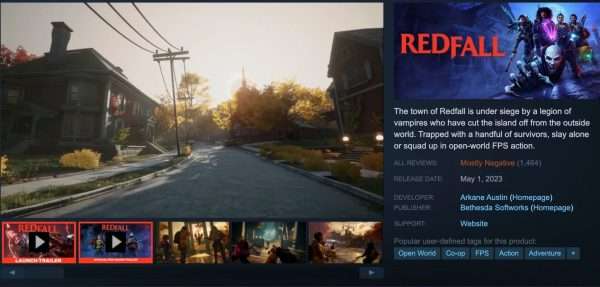
Here’s where things get interesting on your Steam page: your main trailer auto-plays silently at the top. This means:
- The first frames must grab attention even without sound.
- Text or subtitles are super useful if you rely on dialogue.
- Your thumbnail should stand out; it’s what people see before playback.
How to Upload a Game Trailer to Steam
If you’re ready to put it up, here’s the quick version:
- Prep your file: 1920×1080, MP4, H.264 encoding works well.
- Log into Steamworks.
- Go to “Edit Store Page” for your game.
- Find the “Media” tab and add a trailer.
- Upload and choose a thumbnail.
- Pick the trailer type (Announcement, Gameplay, etc.).
- Save and publish.
Pro tip: Always preview your trailer on the actual Steam page to make sure it looks sharp.
Don’t Just Leave It on Steam, Spread It Everywhere
Steam is your home base, but your trailer should live on all your channels:
- YouTube: Use a keyword-rich title and description.
- TikTok & Twitter/X: Post short, eye-catching cuts.
- Reddit: Share in gaming subs (but read the rules).
- Discord: Post in your own server and related communities.
- Press & influencers: Send them your trailer with your press kit.
The more eyeballs, the better.
Great Steam Trailer Examples Worth Studying
Want inspiration? Check these out:
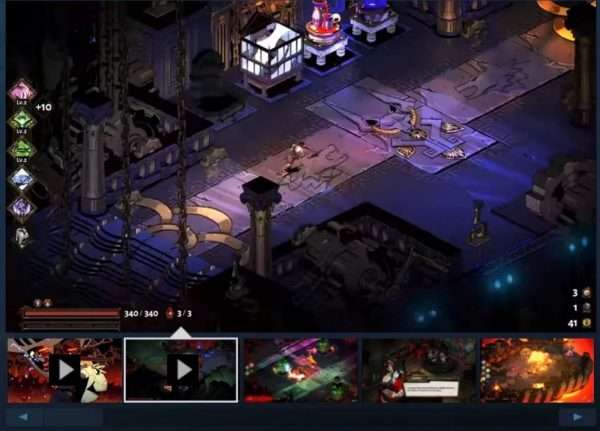
- Hades: Drops you into the action instantly, blends gameplay and narration.
- Stardew Valley: Shows exactly what you’ll do, matches the cozy vibe.
- Hollow Knight: Beautiful visuals, haunting score, gameplay focus.
- Vampire Survivors: Minimal but effective, sells the chaos.
Watch them, pause them, take notes.
Pro Tips to Level Up Your Trailer
We’ll wrap with the little things that make a big difference:
- Record way more footage than you think you need.
- Show variety: different levels, enemies, mechanics.
- Make it feel like the viewer is playing.
- Match pacing to your game’s tone.
- Don’t overcomplicate edits; let the gameplay shine.
- Make it rewatchable, good trailers feel fresh the second time.
Final Thoughts: Your Steam Trailer Is Your Closer
You can have a great game, glowing reviews, and amazing art, but if your Steam trailer doesn’t click with people, you’re missing a huge chunk of potential players.
Think of your trailer as your best salesperson. It works 24/7, it never takes a break, and it’s always the first to greet potential buyers. So put in the work, polish it until it sparkles, and then push it out to the world.
Do it right, and your trailer won’t just get people to wishlist; it’ll make them itch to play.
–
Animost – Vietnam 3D Animation Studio


hello@animost.com

More from the stage
Sep 15, 2026Behind the Scenes of HOPE Na Hong-jin Sci-Fi Action with Motion Capture
If you love wild action movies, high-stakes science fiction, and cinema that keeps your heart pounding, South Korean filmmaker Na Hong-jin’s latest project, HOPE, needs to…
Do I Own the Copyright to AI-Generated Animation?
Do you own the copyright to AI-generated animation? Learn how AI, human creativity, and platform rules affect ownership and commercial rights.
Start a project
Tell us what you need made.
Send us the details and we will come back within one business day with a scope and a price.
Start a project