How Long Should It Take to Animate a 3D Walk Cycle?
If you’ve ever dipped your toes into 3D animation, you’ve probably asked yourself this at some point: how long should it take to animate a 3D walk cycle? And honestly, that’s a great question because it tells us you’re starting to think like an animator. Timing matters, both for the motion you’re animating and the time you’re spending doing it.
In this article, we’re going to walk (pun intended) you through what goes into animating a 3D walk cycle, how long it takes depending on your tools and skill level, and give you some tips to speed things up without cutting corners. Whether you’re a student, indie dev, or freelancer just trying to meet your next deadline, we’ve got you covered.
What’s a 3D Walk Cycle Anyway?
Before we get into the whole “how long should it take” part, let’s break down what we’re animating.
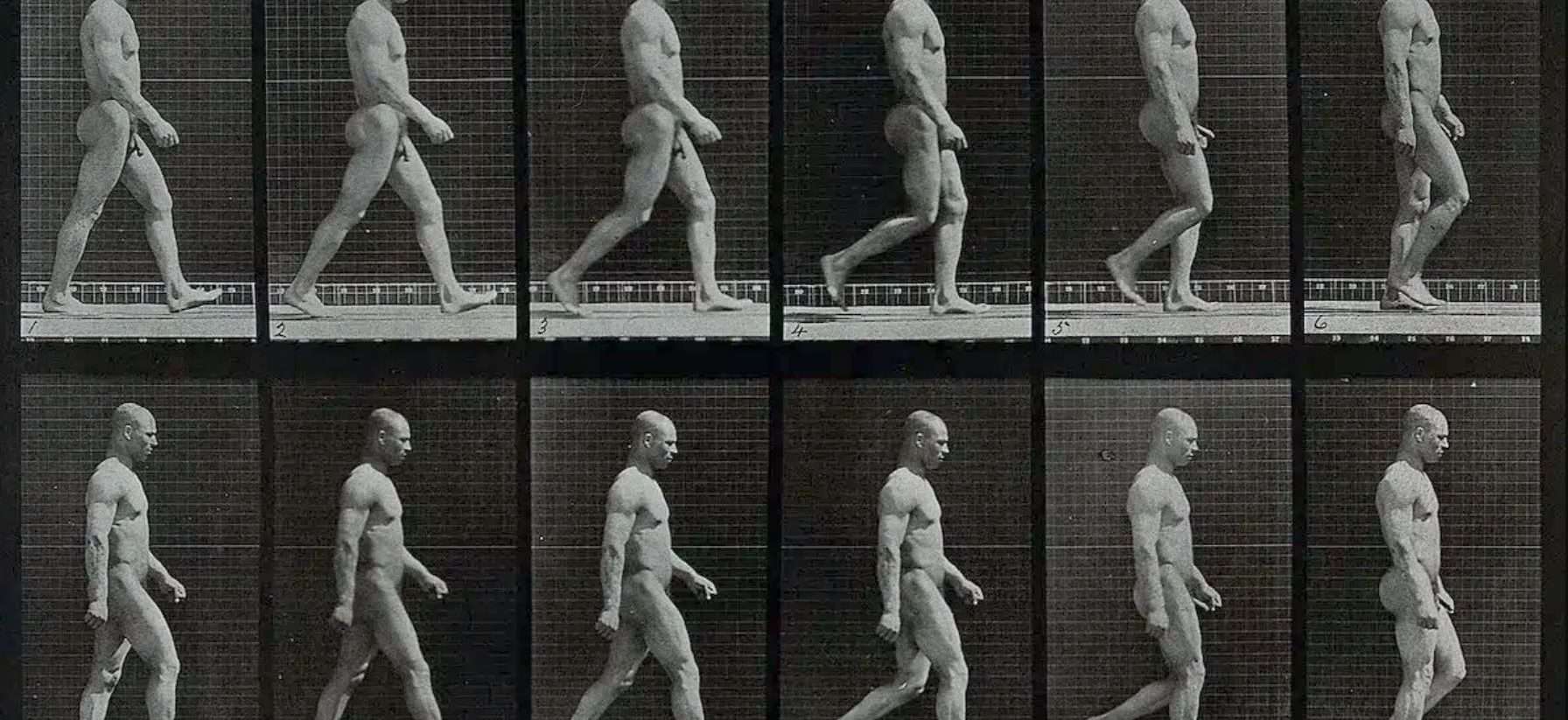
A 3D walk cycle is a looping animation of a character walking, usually seen from the side or three-quarters view. It’s a foundational animation, one of the first things any animator learns, and one of the most used in games, cutscenes, and even film background loops.

A full walk cycle typically includes:
- Two steps (left foot and right foot both hit the ground once)
- Eight key poses: contact, recoil, passing, high-point (for both feet)
- Loopable motion so the character can keep walking endlessly
Simple enough in theory, but in practice, it can be a whole journey.
>>> Read more: Tips for Animating Walk Cycles: A Friendly Guide to Smoother Steps
So, How Long Should It Take to Animate A 3D Walk Cycle?
Here’s the short answer: Anywhere from 2 hours to 3+ days, depending on your workflow.
Let’s break that down:
| Experience Level | Time Estimate | Notes |
| Beginner (First-time) | 8 – 20 hours | Learning the process, lots of trial and error |
| Intermediate | 4 – 8 hours | Familiar with timing, still refining polish |
| Pro (Keyframe Only) | 2 – 4 hours | Can block + polish fast, solid eye for detail |
| Pro (Using Mocap) | 1 – 2 hours | Using mocap cleanup or retargeting |
| Game Dev (with tools) | 30 min – 2 hours | Using rigs, tools, libraries, and plugins |
As you can see, the range is pretty wide. It depends on what you’re trying to do and how you go about it.
Factors That Affect Animation Time
Animation time is rarely just about how fast your fingers move. It’s about everything that leads up to and comes after placing those keyframes.
Your Skill Level
If you’re new to animation, everything takes longer. You’re not just animating; you’re also learning anatomy, posing, timing, software shortcuts, and even how the timeline works. But don’t worry; with every walk cycle, you’ll get faster.
>>> Read more: 3D Character Movement: Tools, Techniques, and Animation Essentials
The Rig You’re Using
Good rigs make your life easier. Bad rigs make you want to throw your computer out the window.

Some things that help:
- IK (inverse kinematics) for legs and arms
- FK/IK switch for better flexibility
- Pre-weighted skinning so things deform properly
- Facial controls whether your character needs expressions
If you’re using a basic stick rig or something downloaded from Mixamo, that might speed things up. If you’re animating a custom rig with 300+ controls, prepare for a longer session.
>>> Read more: What’s 3D Character Rigging? Everything You Need To Know
Blocking vs. Polish
A solid walk cycle always starts with blocking; just the key poses, no smooth curves yet. This part should be quick. But polishing the animation (smoothing out curves, adding overlap, adjusting foot rolls), that’s what eats up your time.
We’ve seen animators block a walk cycle in 45 minutes and then spend 5 hours polishing it. It’s just part of the game.
Stylized vs. Realistic
Are you animating a bouncy cartoon character? Or a realistic soldier in armor?

Stylized walks usually take less time because they don’t need perfect weight shifts or muscle simulations. Realistic ones, on the other hand, need tons of subtle details like toe rolls, hip sways, and shoulder movement.
Using Motion Capture
If you’re using mocap data (especially from a system like Rokoko or Xsens), you’re not creating the walk cycle from scratch but editing and cleaning. That can drastically cut time.
However, cleaning mocap still takes effort: foot slippage, jitter, weird joint rotations, etc.
Typical Walk Cycle Workflow (With Time Estimates)
Let’s say you’re animating a basic humanoid walk cycle from scratch. Here’s what a typical workflow might look like, and how much time you can expect to spend on each step.
| Stage | What You’re Doing | Time (Est.) |
| Reference Gathering | Watching real walks or filming yourself | 15–30 min |
| Blocking | Posing contact, passing, and high points | 1–2 hours |
| In-Betweening | Adding breakdowns and smoothing out motion | 1–2 hours |
| Polishing | Overlap, weight, and timing adjustments | 2–4 hours |
| Final Checks & Loop Test | Making sure it loops seamlessly | 15–30 min |
Total: 4 – 8 hours on average
Of course, this varies depending on your style and tools, but it’s a solid framework to start with. Now, let’s say you want to get faster. What can you do?
Tips to Animate Faster Without Sacrificing Quality
We’ve been there: tight deadlines, client emails, or the temptation to just finish the thing. Here are some tricks we use to save time but still keep quality in check:
- Use Video Reference: Seriously, this helps so much. Record yourself walking, or grab some YouTube videos and analyze the poses. It saves tons of guesswork and helps your animation feel grounded.
- Start With Contact Poses: Nail down the feet placement first: left foot forward, right foot back, etc. Once that looks good, it’s easier to fit the rest in.
- Copy/Paste Keyframes: Don’t reinvent the wheel. If the left foot is doing something on frame 1, the right foot will probably do the same thing 12 frames later. Save yourself some work and just duplicate/offset your keyframes.
- Use Animation Layers: Need to tweak the hips without messing up the whole rig? Add it to a separate layer. You can always dial it down later. Layers give you flexibility without starting over.
- Step Mode First, Spline Later: Animate in “stepped” mode for blocking. That way, you focus on poses and timing first, not curves and easing. Once you’re happy with the structure, switch to spline and refine it.
- Take Breaks (Seriously): Ever looked at an animation for 6 hours and suddenly forgot what walking looks like? Take a walk yourself; your brain will catch things you missed once you come back with fresh eyes.
These techniques don’t just help you go faster; they also help you animate smarter.
How Do Studios Handle Walk Cycles?
Deadlines are tight, pipelines are structured, and everyone’s time is carefully budgeted. So, how much time are you usually given to animate a 3D walk cycle in a studio environment?
- Junior animators: 1 – 2 days per walk cycle
- Mid-level animators: 4 – 8 hours
- Senior animators: 2 – 4 hours, depending on complexity
- Mocap teams: 30 – 60 minutes for basic NPC cycles
In game development, reusable cycles are often shared in a motion library and modified as needed. That way, animators can spend more time on hero moments and less time on routine motion.

Should You Animate Every Walk Cycle From Scratch?
Nope. Not unless you want to.
In games, crowd scenes, or background loops, using walk cycle libraries, mocap, or even procedural animation can save a ton of time.
Save your hand-crafted animations for important characters or key cinematic moments. For the rest, reuse and adapt existing cycles. It’s not lazy; it’s smart.
What Tools Help You Animate Walk Cycles Faster?
Let’s wrap this up with a list of tools that can help you go from zero to walk cycle way faster:
| Tool/Software | What It Helps With |
| Blender | Free, powerful, lots of walking tutorials |
| Maya | Industry standard, great rigging & timeline tools |
| Mixamo | Free character rigs + pre-made walk cycles |
| Rokoko Studio | Easy motion capture with cleanup tools |
| AnimBot (for Maya) | Speeds up posing, offsetting, and easing |
| Autodesk HumanIK | IK setups and fast rigging |
| Cascadeur | AI-assisted posing and animation suggestions |
Try a few and see what fits your style. What works for a game dev might not work for a film animator.
Final Thoughts: Quality Over Speed
So, how long should it take to animate a 3D walk cycle?
If you’re just starting, take your time and aim for quality. Even if it takes 10 hours, it’s time well spent learning timing, weight, and motion. If you’re more experienced, hitting that 2–4 hour mark for a polished walk is a solid pace.
And if you’re working on a project with tight deadlines? Find ways to reuse, automate, and focus on what matters most.
At the end of the day, animating a walk cycle isn’t just about getting from point A to point B; it’s about showing who your character is and how they move through the world.
So take a breath, fire up your software, and let’s get that character walking.
This article draws upon information from several online resources, including spotlightfx.com and blog.animschool.edu. If you believe any content has been improperly attributed or requires correction, please contact us so we can address it promptly.
–
Animost – Vietnam 3D Animation Studio


hello@animost.com

More from the stage
Dec 16, 2025Why Is My Blender Animation Pixelated? A Step-by-Step Fix Guide
Why is my Blender animation pixelated? We break down the real causes and show you how to fix pixelation step by step.
VFX Compositing: The Ultimate Beginner-Friendly Guide
Discover how VFX compositing works with this detailed, beginner-friendly guide. We break down keying, tracking, color correction, and more!
Start a project
Tell us what you need made.
Send us the details and we will come back within one business day with a scope and a price.
Start a project