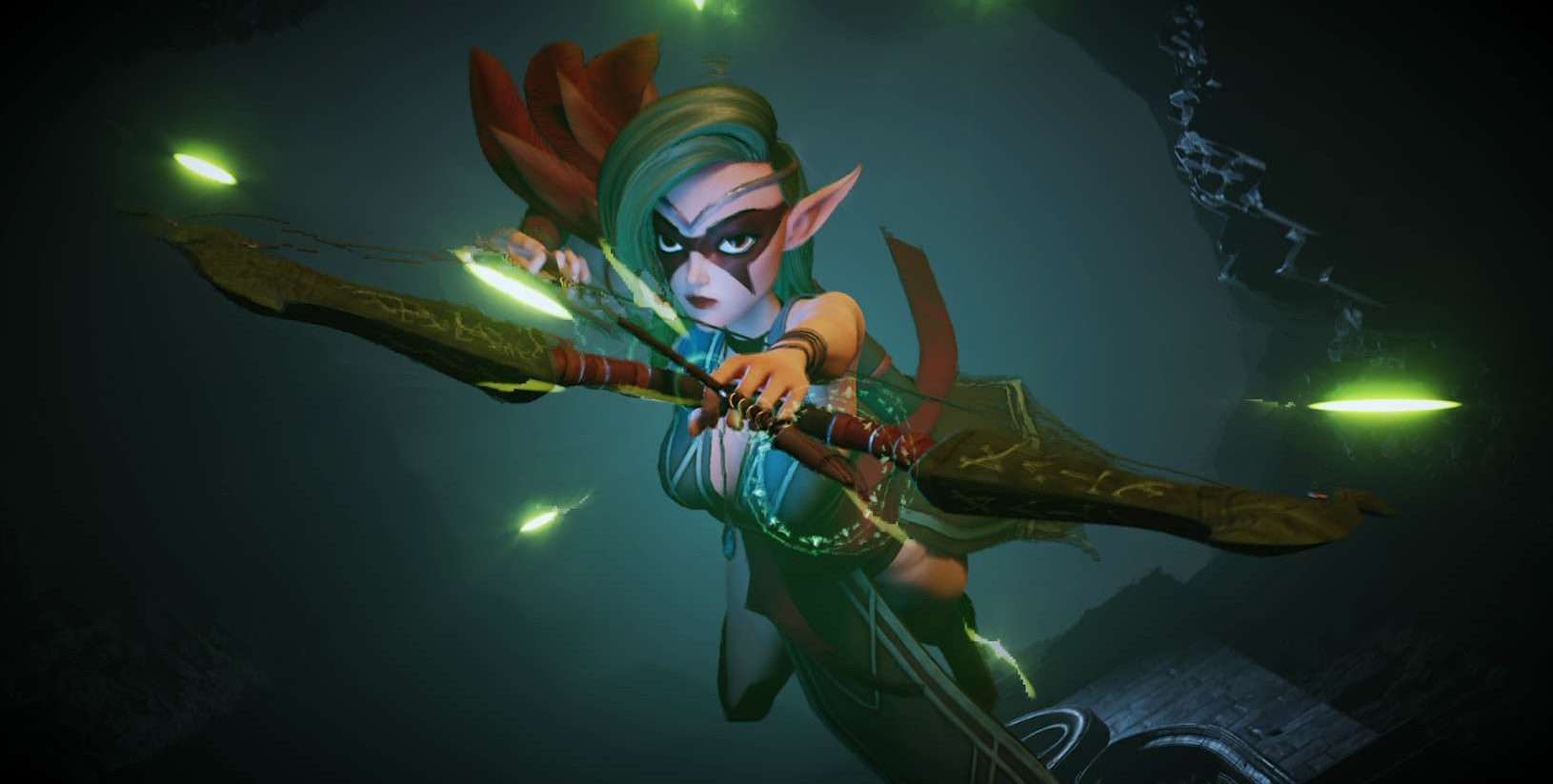
Realistic 3D Character Animation: How We Bring Digital Characters to Life
Ever watched a 3D character that made you feel something, like they were alive? That’s the magic of realistic 3D character animation. It’s what makes animated characters feel real, even when they’re not human… or even from this planet.
At our studio, we help creators like you bring characters to life through believable, emotionally rich animation. Whether you’re building a game, film, or virtual experience, getting the animation right is what makes people connect with your characters, not just watch them.
So let’s break down how this works, why it matters, and how you can make it happen for your project.
First Things First: What Is Realistic 3D Character Animation?
Before we dive into the process, let’s clear up what we mean by “realistic.”
Realistic 3D character animation involves creating characters that move, act, and react like real people. We’re talking about walking with weight, blinking naturally, and showing emotion through every subtle movement.

It’s not just for hyper-realistic humans either. Even fantasy creatures or stylized cartoons can benefit from realistic animation, because realism here isn’t about how the character looks, but how they feel in motion.
That’s where things get powerful.
>>> Read more: 3D Character Movement: Tools, Techniques, and Animation Essentials
Why Realism Matters
Now that we know what it is, let’s talk about why it matters so much.
If your animation feels stiff or robotic, people notice even if they can’t explain what’s wrong. Realism bridges that gap between the viewer and the character. It:
- Draws people into your story
- Makes emotional moments hit harder
- Adds credibility to your visuals
- And keeps your audience engaged longer
Basically, when your characters move in believable ways, your whole project gets better.
And how do we make that happen? Glad you asked.
>>> Read more: What’s 3D Character Rigging? Everything You Need To Know
How We Create Realistic 3D Character Animation
Making animation feel real is a process, and every step matters. From character modeling to facial expressions, everything builds on the previous stage.
Let’s walk through how we do it.
It Starts with Smart Character Modeling
Realism begins before anything moves. If your character’s model isn’t built right, no amount of animation will save it.
We focus on:
- Proper anatomy (even in stylized characters)
- Clean edge loops for smoother deformations
- Skin texture and details that add believability
Why does this matter for animation? Because if your character’s body isn’t built to move like a real one, you’ll run into weird bends, clipping, and unnatural posing later on.

>>>Read more: Basics types of animation and 3D animation revolution
Rigging: Giving Your Character a Skeleton
Once we’ve got the model, the next step is rigging, basically, building the skeleton and controls that let us move the character.
This is where we:
- Add bones for body movement
- Create face rigs or blend shapes for expression
- Set up controls for things like fingers, shoulders, or eyelids
Everything we rig is designed to give animators maximum flexibility and control. And the better the rig, the more natural your final animation will look.
>>> Read more: 3D Character Design Process: 6 Essential Steps for Beginners
Motion Capture: Bringing Real Movement into the Mix
Now that your character has a solid build and can move, how do we make it move like a real person? This is where motion capture (mocap) comes in.
Mocap lets us record real human motion, from walking and jumping to talking and reacting, and transfer that data to your digital character.
We use systems like:
- Xsens and Rokoko for body motion
- iPhone ARKit or Faceware for facial expressions
Motion capture gives us a foundation that feels human from the start, but we don’t stop there.
Keyframe Animation: Fine-Tuning the Performance
Mocap is great for realism, but it’s not perfect on its own. That’s why we always follow up with keyframe animation.
This step lets us:
- Add emotional nuance
- Exaggerate or tone down gestures
- Refine movement to better match your character’s style
Think of mocap as the “bones” of the performance and keyframes as the soul. This combo gives us the best of both worlds.
Lip Sync and Facial Animation: Making Your Character Speak (and Feel)
If your character talks, facial animation becomes a big deal. But syncing lips to dialogue is only the start.
We also animate:
- Eye movement and blinks
- Brow raises, smirks, jaw tension
- Subtle shifts in expression based on emotion or thought
This is what makes your character feel alive, not just saying lines, but meaning them.

Secondary Motion: Adding the Final Touches
With the main animation in place, we turn our attention to secondary motion, those little movements that bring even more realism.
Things like:
- Hair bouncing as a character runs
- Clothes swaying or reacting to movement
- Breathing and slight posture shifts
These details may seem small, but they add up. Without them, even a great performance can feel stiff or unfinished.
The Tools We Use to Make It Happen
Everything we’ve talked about relies on a toolkit that lets us go from concept to final render. Here’s what we often use:
| Stage | Tools |
| Modeling | Blender, ZBrush, Maya |
| Rigging | Maya, Advanced Skeleton, Rigify |
| Mocap | Xsens, Faceware, Rokoko, ARKit |
| Animation | Maya, Blender, MotionBuilder |
| Lip Sync | FaceIt, Papagayo, Adobe tools |
| Rendering | Unreal Engine, Arnold, Blender Cycles |
And yes, we’ll tailor the pipeline based on what you’re building (game, film, virtual influencer, etc.).
Realism in Games vs. Films: What Changes?
Now that you’ve seen the process, you might be wondering: “Is it different if I’m building a game instead of a movie?”
Absolutely. Let’s break it down:
| Feature | Games | Films |
| Performance | Needs to run in real-time | Can be rendered offline |
| Detail level | Lighter rigs, fewer bones | High-res models and full deformation |
| Animation style | Responsive, fast | Emotional, slower, more subtle |
| Integration | Needs engine compatibility (Unity/Unreal) | Can rely on standalone renders |
The goal stays the same: believable movement, but the strategy shifts depending on your final platform.
Real-World Challenges (and How We Solve Them)
Of course, getting things realistic isn’t always smooth sailing. Here are a few bumps we’ve encountered and how we overcome them.
Challenge: The Uncanny Valley Problem: “It’s Too Real… But Not Quite”
This is one of the trickiest and most famous problems in realistic animation. You’ve probably seen it before: a character that looks very human, but gives off an unsettling, almost robotic vibe. Something about it feels wrong, even if you can’t put your finger on it.
Why it happens:
The character is almost realistic, realistic enough to trigger human expectations, but still missing the subtle details that make a real person feel alive. This includes micro-expressions, natural eye movement, and imperfection.
How we solve it:
We intentionally dial in human imperfections. That means:
- Adding micro-movements in the eyes and facial muscles
- Animating slight asymmetry in expressions and gestures
- Ensuring the eyes don’t stare too long or blink robotically
- Avoiding over-smoothing or “plastic” textures on the face
We also study real human behavior (video references, acting footage, etc.) and recreate those nuances. The goal is to keep the character close to real, but not so perfect that it crosses into the creepy zone
Challenge: Flat Performances: “It Moves Right… But Doesn’t Feel Anything”
Sometimes, technically correct motion still leaves a character feeling dull or lifeless. The body moves. The face blinks. The lip sync. But somehow… the emotion doesn’t land.
Why it happens:
Realistic animation isn’t just about correct physics; it’s about conveying intent. Characters aren’t just doing things; they’re reacting to something. Without a thought process and emotional weight, movements feel empty.
How we solve it:
We build emotion into the animation by layering in subtle storytelling:
- Adding pauses, hesitations, or shifts in posture when a character is thinking
- Animating facial transitions before the dialogue is spoken, as if the character is gearing up to speak
- Syncing the body language with the character’s emotional state: tense shoulders, nervous tics, glances
- Letting the character react during conversations, not just speak
Every movement becomes a reflection of what’s happening inside the character’s head—not just what they’re doing, but why they’re doing it.
Mocap Doesn’t Match the Character’s Style
Motion capture is amazing for realism, but it doesn’t always match the look of your character, especially if they’re stylized, cartoony, or non-human. A mocap walk cycle might look odd on a goblin, robot, or exaggerated cartoon figure.
Why it happens:
Mocap captures human movement by default. But if your character has unusual proportions (tiny legs, long arms, etc.), directly applying that motion can look awkward or too grounded for the design.
How we solve it:
We use mocap as a foundation, then blend or exaggerate keyframes to match the tone. That means:
- Retargeting motion and adjusting for the character’s anatomy
- Stylizing walk cycles, jumps, and gestures to match the universe they live in
- Manually editing facial animation for characters with non-human expressions (e.g., snouts, beaks, or exaggerated mouths)
- Adding bounce, stretch, or squash where realism would feel stiff
This hybrid approach keeps the performance grounded in reality while still honoring your character’s unique vibe.
Where You Can Use This Kind of Animation
If you’re wondering where realistic 3D character animation shines, here are just a few spaces it’s already making an impact:
- Video Games: From cinematic cutscenes to in-game animations
- Films and Series: Digital humans, creatures, or fully animated features
- Marketing: Talking mascots, virtual influencers, product demos
- Simulations: Training modules for medical, military, or educational use
- Virtual Worlds: Realistic avatars in VR or the metaverse
If your characters need to connect with an audience, realism helps make that happen.
Ready to Animate Something That Feels Real?
We love creating characters that feel alive, whether they’re saving kingdoms, selling sneakers, or explaining how a new tech product works. If you’ve got a project in mind, we’d love to hear about it and help bring your vision to life.
Let’s build something believable together.
In a Nutshell: Why It’s Worth It
Sure, realistic animation takes more time and effort. But the results speak for themselves. Characters that move and emote like real people create stronger stories, deeper immersion, and lasting impressions.
And that’s what turns a good project into a great one.
FAQs
How long does realistic character animation take?
It depends! A short scene with detailed animation might take 2 – 4 weeks.
Do I need motion capture to get realism?
It helps, but it’s not required. Skilled animators can keyframe everything; it just takes more time.
Can this work in real-time engines like Unity or Unreal?
Absolutely. We optimize rigs and animations specifically for games and real-time rendering.
What does it cost?
Project size, length, and complexity affect pricing. Reach out, and we’ll scope it with you.
–
Animost – Vietnam 3D Animation Studio


hello@animost.com

More from the stage
Sep 15, 2026Behind the Scenes of HOPE Na Hong-jin Sci-Fi Action with Motion Capture
If you love wild action movies, high-stakes science fiction, and cinema that keeps your heart pounding, South Korean filmmaker Na Hong-jin’s latest project, HOPE, needs to…
Do I Own the Copyright to AI-Generated Animation?
Do you own the copyright to AI-generated animation? Learn how AI, human creativity, and platform rules affect ownership and commercial rights.
Start a project
Tell us what you need made.
Send us the details and we will come back within one business day with a scope and a price.
Start a project