What’s Rotoscoping? 6 Best Software For Rotoscoping Animation
What’s rotoscoping? Rotoscoping is a technique that lets animators trace over live-action footage to make movements in animation super smooth and lifelike.
It’s been around for a long time but has evolved with some awesome software that makes the process way easier. Whether you’re working on a big movie or just messing around with a creative project, having the right tools is key.
In this post, we’ll break down what rotoscoping is and share six of the best software options to get you started!
What’s Rotoscoping?

Rotoscoping is an animation technique where animators trace live-action footage frame by frame to create more realistic movements in animated characters.
It was invented in 1915 by Max Fleischer and became widely used in early animation, such as Fleischer’s Out of the Inkwell series, and later by studios like Disney for films such as Snow White and the Seven Dwarfs. This process helped create smoother, life-like motion by using real human movements as references for animation.
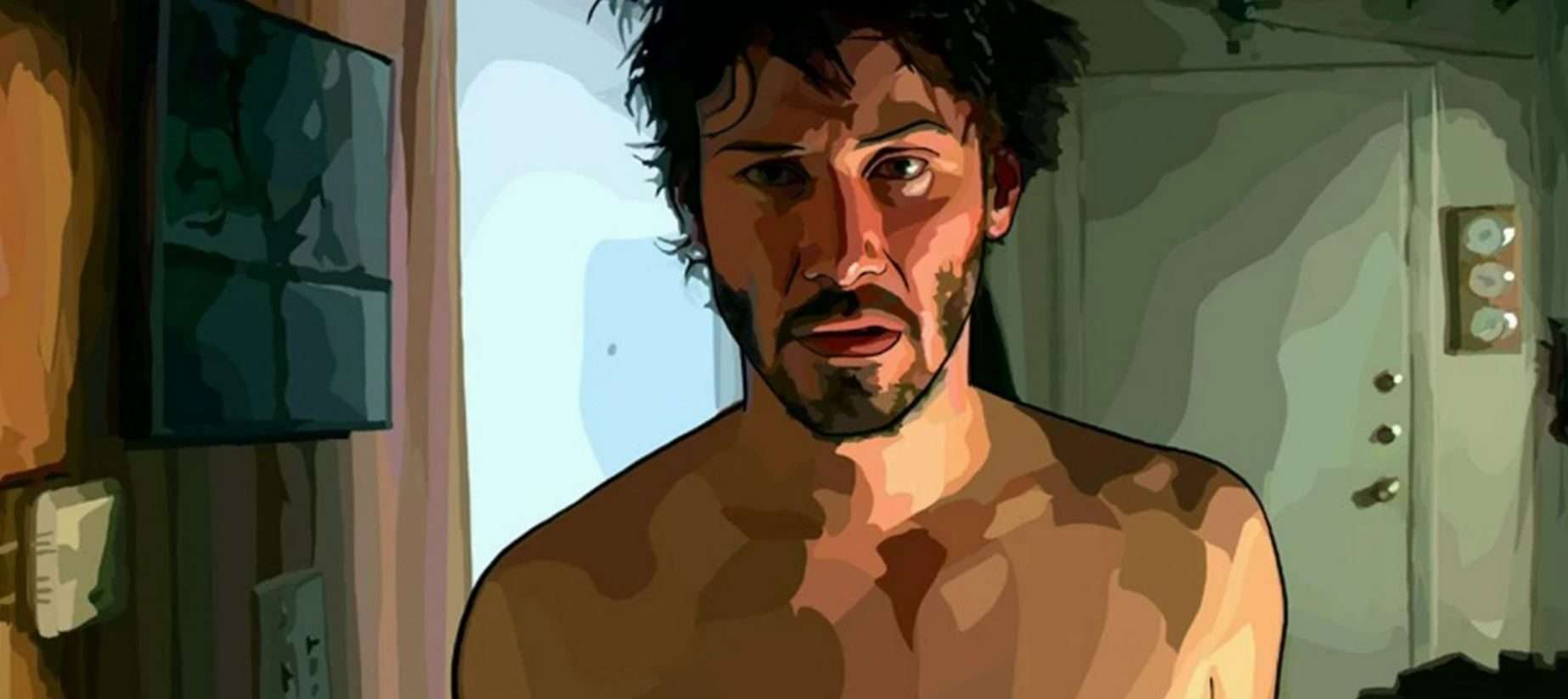
Modern filmmakers also use rotoscoping for stylized effects, such as in Richard Linklater’s films Waking Life and A Scanner Darkly, where the real footage is transformed into a unique animated style using a digital process called interpolated rotoscoping.
Despite its time-consuming nature, rotoscoping remains a vital tool in both animation and live-action filmmaking, helping create iconic effects and movements.
>>> Read more: The Magic of 2D VFX Animation: Enhancing Visuals in Post-Production
Rotoscoping History

Rotoscoping was invented in 1915 by animator Max Fleischer. This technique allowed animators to trace live-action footage to create realistic movement in animated characters, a breakthrough that revolutionized early animation.
Fleischer first used it in his Out of the Inkwell series, featuring Koko the Clown. By tracing over filmed footage of real actors, Fleischer could give animated characters more lifelike movements, a significant improvement over the “twitchy” and unnatural motions seen in earlier animation styles.
Fleischer’s technique remained exclusive to his studio until his patent expired in 1934, allowing other studios like Disney to adopt rotoscoping. Disney used it extensively in Snow White and the Seven Dwarfs and other classics like Pinocchio and Alice in Wonderland, enhancing the realism of human characters.
In the late 20th century, rotoscoping transitioned to digital processes, pioneered by Bob Sabiston in the 1990s with his “interpolated rotoscoping,” as seen in films like Waking Life and A Scanner Darkly.
>>>Read more: How to build a VFX studio? 10 Pieces of Advice for You
Types Of Rotoscoping

Rotoscoping involves different techniques that vary depending on the project’s needs and the tools used. Below are the key types of rotoscoping commonly utilized:
Traditional Rotoscoping
This is the original method developed by Max Fleischer in the early 20th century. In this approach, live-action footage is projected onto a glass panel, and the animator traces each frame by hand to create smooth, lifelike animation.
This method was crucial in early Disney films like Snow White and the Seven Dwarfs and Fleischer’s Gulliver’s Travels.
>>>Read more: FX and animation studios increasing favor for virtual production and workstations
Digital Rotoscoping
With the advent of computer technology, the traditional method has evolved. Today, digital tools like Adobe After Effects, Mocha Pro, and Nuke allow artists to trace live-action footage directly on a computer screen.
Digital rotoscoping simplifies the process by using keyframes and interpolation, which lets the software handle intermediate frames automatically. This technique is widely used in films for both animated and visual effects.
Visual Effects Rotoscoping
This type of rotoscoping focuses on creating masks or mattes to isolate parts of a scene for manipulation. It’s commonly used in special effects-heavy films to add elements such as lightsabers (as seen in Star Wars) or to remove unwanted objects.
For instance, in Alfred Hitchcock’s The Birds, rotoscoping was used to create the illusion of birds attacking.
Photorealistic Rotoscoping
This type of rotoscoping maintains much of the detail from the live-action footage to create highly realistic animated versions of the actors.
Director Richard Linklater used this method extensively in films like Waking Life and A Scanner Darkly, which resulted in a surreal, lifelike animation style.
6 Best Software For Rotoscoping Animation
When looking for the best software for rotoscoping animation, the choice depends on the project’s scope, complexity, and budget. Below are some top options widely regarded in the industry for their features and capabilities:
#1. Adobe After Effects

Adobe After Effects is an industry-standard tool for motion graphics and visual effects, making it one of the most popular choices for rotoscoping. Its “Rotobrush” feature allows for efficient frame-by-frame masking and object separation, and it integrates smoothly with other Adobe Creative Cloud software like Photoshop and Premiere Pro.
It’s perfect for artists working on complex VFX-heavy projects or those who need precise control over each frame. However, it has a steep learning curve and requires powerful hardware to get the most out of it, making it ideal for professionals or experienced users.
The pricing is subscription-based, with Adobe offering a free trial to new users.
#2. Silhouette FX

Silhouette FX, developed by Boris FX, is known for being one of the most powerful tools for rotoscoping and painting in the VFX industry.
Used in blockbuster films such as Dune and Black Panther: Wakanda Forever, Silhouette FX offers refined masking tools, planar tracking, and advanced 3D capabilities. It’s especially helpful for artists working on high-end film and television productions.
Silhouette also integrates with other VFX tools and has multi-host plugins for compatibility with software like After Effects and Nuke. While it’s highly advanced, the pricing starts at around $100 per month, making it a considerable investment.
#3. Mocha Pro

Mocha Pro, another top choice from Boris FX, is renowned for its planar tracking technology. It’s excellent for VFX artists dealing with complex shots, and its spline-based masking tools are ideal for rotoscoping.
Mocha Pro offers easy-to-use features for stabilizing footage, object removal, and lens calibration, making it one of the best for both simple and intricate masking jobs. It’s often used as a plugin for After Effects and other compositing software, which allows seamless integration.
With pricing starting at $37 per month, it’s more affordable than Silhouette but still packed with professional-grade features.
#4. Blender

Blender is a free and open-source option that provides robust tools for 3D animation, modeling, and video editing. It’s especially popular among independent creators and small studios for its cost-effectiveness and powerful features.
Blender’s rotoscoping tools include frame-by-frame tracing, masking, and 2D/3D compositing. The software supports a variety of plugins and has a large community, making it easy to find tutorials and troubleshooting help.
While it’s versatile, Blender’s video editing features are somewhat limited compared to dedicated software like After Effects.
#5. Fusion by Blackmagic Design

Fusion is a powerful tool used for creating VFX, motion graphics, and 3D compositing. It is widely regarded for its professional-grade rotoscoping capabilities, including planar tracking, Delta Keyer, and GPU acceleration for faster rendering.
Fusion’s support for virtual reality and its responsive UI makes it a top choice for VFX-heavy projects. It offers perpetual licensing, which can be more cost-effective in the long run compared to subscription-based models like Adobe.
However, its high upfront cost can be a barrier for some users.
#6. Studio Artist 5.0

Studio Artist 5.0 is known for its AI-powered features, making it an excellent choice for animators looking for a tool that automates certain tasks while still allowing for detailed hand-drawn frames.
It can automatically generate animation from real-life footage and allows for a variety of painting and processing options. This makes it ideal for artists working on projects that blend real footage with hand-drawn animations.
However, the software is on the pricier side, and the free version includes watermarked outputs.
Conclusion
Rotoscoping is a technique that makes animation more lifelike by tracing over real footage. With the right software, it can be a breeze, whether you’re working on Hollywood-level projects or just trying something fun at home.
From heavy hitters like Adobe After Effects to free tools like Blender, there’s something for everyone. So, dive into these options and see which one helps bring your creative ideas to life!
–
Animost – Vietnam 3D Animation Studio


hello@animost.com

More from the stage
Sep 15, 2026Behind the Scenes of HOPE Na Hong-jin Sci-Fi Action with Motion Capture
If you love wild action movies, high-stakes science fiction, and cinema that keeps your heart pounding, South Korean filmmaker Na Hong-jin’s latest project, HOPE, needs to…
Do I Own the Copyright to AI-Generated Animation?
Do you own the copyright to AI-generated animation? Learn how AI, human creativity, and platform rules affect ownership and commercial rights.
Start a project
Tell us what you need made.
Send us the details and we will come back within one business day with a scope and a price.
Start a project