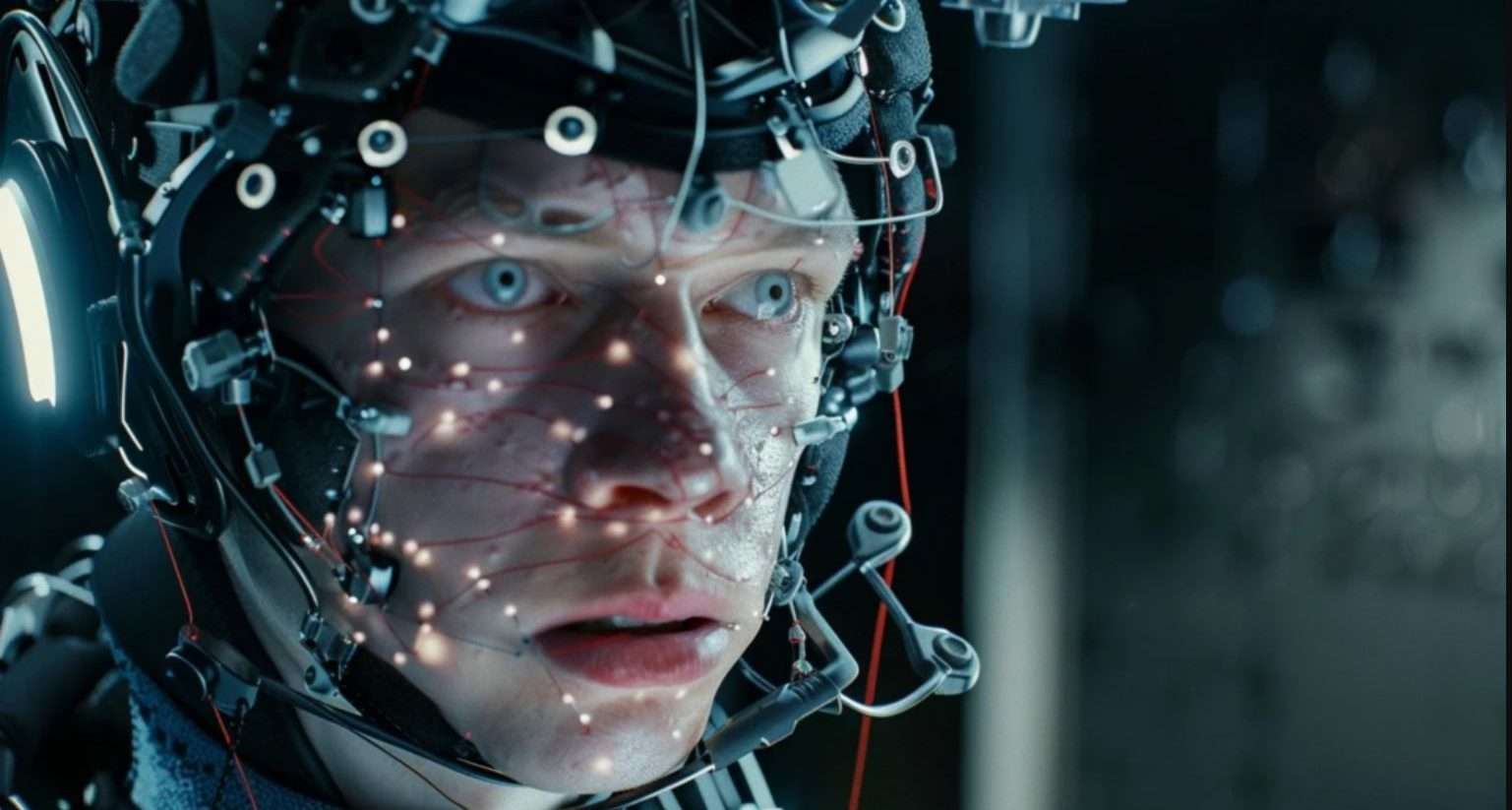
Tips for Optimizing Facial Motion Capture: Get the Best Performance and Realism
Facial motion capture has changed how we create characters in animation, video games, and films. It lets us capture all the tiny nuances of real human emotion. But as you probably know, getting it to look natural and believable isn’t as simple as just recording your actor. Let’s break down some of our favorite tips for optimizing facial motion capture so you can get better data and more lifelike animations every time.
Tips for Optimizing Facial Motion Capture
We’ve got some easy-to-follow tips for optimizing facial motion capture that’ll take your animations from good to great. Let’s dive in!

Choose the Right Mocap System
First up: picking your system. Marker-based setups (like Vicon Cara) give super accurate data, but they need a lot of prep and setup. Markerless options (like Faceware or Dynamixyz) are faster and easier but can be a little less precise. Mobile-based apps like FaceCap or Live Link Face are perfect if you’re working with a smaller budget or want to do quick tests.
Here’s what you should keep in mind:
Choose a system that fits your budget and the level of realism you’re aiming for.
Make sure it works well with the animation tools you’re already using.
Think about whether you need real-time feedback or final high-res output.
Prep Your Actor and the Scene
Even with the fanciest tech, your actor’s prep and your scene setup matter a lot.
- Keep skin matte: Shiny skin can throw off tracking, so use powder or matte makeup.
- Control hair: Keep long hair tied back so it doesn’t cover markers or facial features.
- Set up even lighting: Soft, diffused light (like from softboxes) will reduce shadows and help the system track better.
If you’re using markers, place them carefully around the eyes, mouth, and jawline for the best data.
>>> Read more: How to Make a 3D Animation Face? Step-By-Step Guide
Don’t Skip Calibration
Calibration might feel like a chore, but it’s crucial for good results. For marker-based systems, it usually means a neutral face pose and a few expressions. Markerless systems might ask for a quick scan of the performer’s face.
- Follow the calibration instructions for your system carefully.
- Do a quick test recording to make sure the data looks good before you dive into full takes.
Record a Reference Video
Even if you’re relying on mocap data, having a reference video is super helpful. It’s an extra layer of backup you can use to refine your final animation. Just set up a decent camera that matches your actor’s eyeline and keep it rolling in sync with your mocap session.
>>>Read more: What is the application of facial motion capture technology?
Keep Your Actor Comfortable
A relaxed performer = better expressions. Let them know what to expect, give them time to rehearse, and keep sessions short to avoid fatigue. Small breaks also help keep the energy up.
Since facial mocap focuses on the face, remind your actor to avoid big head movements: too much head motion can make the data messy. If you do need head movement, consider capturing that separately and combining it later.
>>>Read more: New technology innovating 3D animation production industry
Watch for Occlusion
Occlusion happens when part of the face gets blocked, like a hand covering the mouth or hair falling forward. It can ruin your data. Remind your actor to keep their hands away from their face and check the footage as you go so you can fix any issues before moving on.

Clean Up Your Mocap Data
Raw mocap data usually needs a little cleanup to look natural. In your animation software, smooth out any jittery movements and adjust keyframes so everything lines up with your reference video. Even small tweaks can make a huge difference in how real the final performance feels.
Blend with Keyframe Animation
Facial mocap can capture subtle movements, but sometimes you want to exaggerate expressions or adjust timing. Don’t be afraid to add some keyframe animation on top. It’s a great way to fine-tune the performance and make sure it matches your project’s style.
Check Your Hardware and Connection
Facial mocap can be demanding on your computer. Make sure you have a solid GPU and enough RAM (32GB or more if you’re working with heavy scenes). Keep drivers up to date and close unnecessary apps. If you’re using real-time streaming, make sure your Wi-Fi or USB connection is solid to avoid dropped frames.
Practice and Tweak Your Workflow
The more you practice, the better you’ll get. Start with short tests to fine-tune your lighting, actor prep, and system setup. Take notes on what works and what doesn’t. Every performer and project is a little different, so don’t be afraid to experiment and find your own best practices.

Blendshapes and Morph Targets
Most facial mocap data drives blendshapes (or morph targets) in your rig. Check that your rig has enough shapes for all the key expressions, like smiles, frowns, and lip curls. If something’s missing, add it before you start retargeting the mocap data.
- Use clear naming conventions for your blendshapes so they line up easily with your mocap export.
- Adjust blendshape weights to keep things looking natural—no over-the-top distortions.
Check Different Angles
Sometimes an expression looks perfect from one camera angle but off from another. Check your final animation from multiple angles to make sure everything reads well no matter where the camera is. Even small tweaks can make a big difference!
Keep Learning and Stay Updated
Facial mocap tech is always changing. New software updates, better hardware, and fresh techniques keep popping up. Keep an eye on blogs, YouTube tutorials, and mocap communities; there’s always something new to learn.
Final Thoughts: Let the Face Tell the Story
At the end of the day, facial motion capture is all about capturing real emotion and bringing characters to life. With these tips for optimizing facial motion capture, you’re set to get more believable, expressive performances in your projects.
Start small, test things out, and tweak your workflow until it feels right for you. With a bit of practice and a lot of patience, you’ll be turning real human emotion into digital magic in no time!
–
Animost – Vietnam 3D Animation Studio


hello@animost.com

More from the stage
Sep 15, 2026Behind the Scenes of HOPE Na Hong-jin Sci-Fi Action with Motion Capture
If you love wild action movies, high-stakes science fiction, and cinema that keeps your heart pounding, South Korean filmmaker Na Hong-jin’s latest project, HOPE, needs to…
Do I Own the Copyright to AI-Generated Animation?
Do you own the copyright to AI-generated animation? Learn how AI, human creativity, and platform rules affect ownership and commercial rights.
Start a project
Tell us what you need made.
Send us the details and we will come back within one business day with a scope and a price.
Start a project