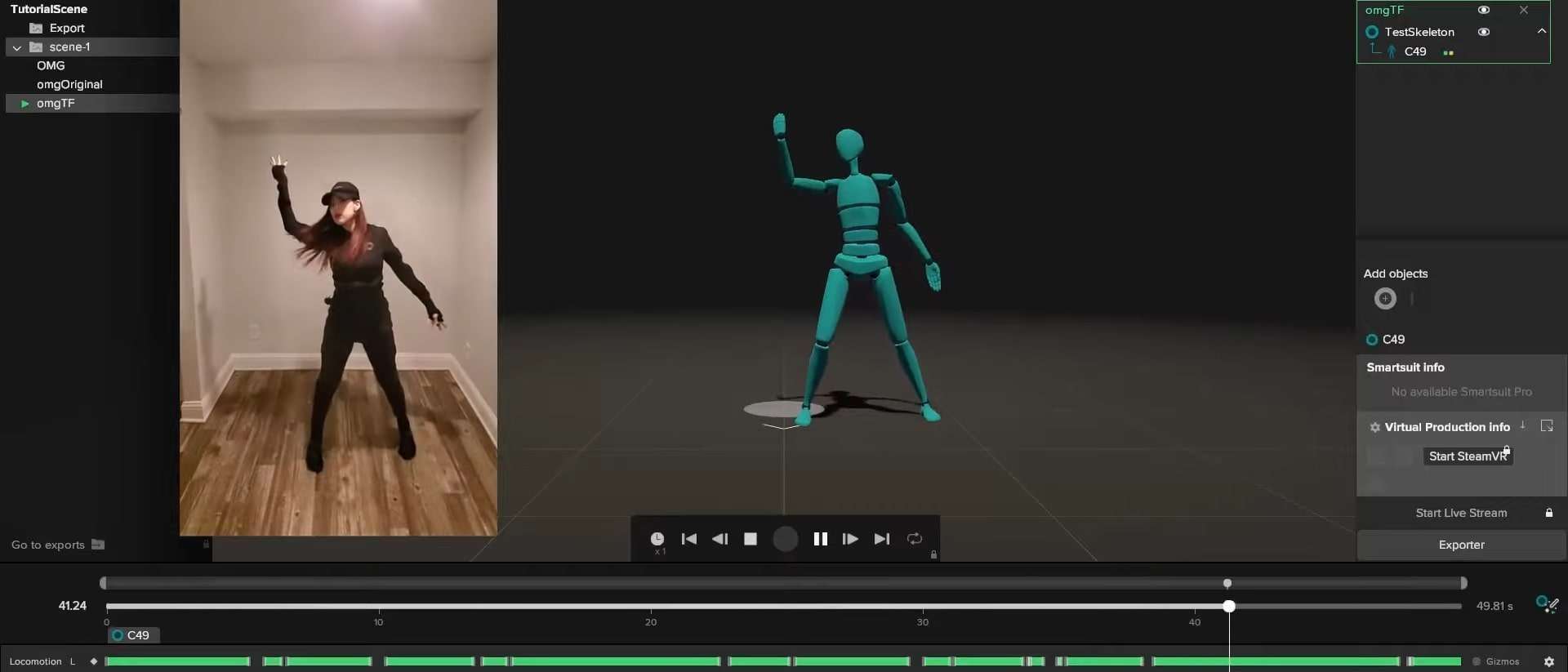
What Software Works With MoCap Suits? A Guide for Beginners and Pros
Today, you can grab a MoCap suit and start capturing movement without breaking the bank. But suits alone don’t do much. You’ll need the right software to turn raw tracking data into usable animation. That’s why in this guide, we’ll answer the big question: “What software works with MoCap suits?” We’ll walk you through the top options, explain their strengths, and help you pick the best one for your projects.
Why Software Matters Just as Much as the Suit
Before we talk about specific programs, let’s set the stage. Buying a mocap suit is just half of the equation. The suit captures data, but without the right software, that data is basically raw numbers: useless for animation, visualization, or integration into your creative pipeline.

Here’s why software is crucial:
- Processing Data: Mocap software cleans up noisy signals and ensures your motion looks natural.
- Streaming & Exporting: You’ll want to send that data to Blender, Maya, Unreal, or Unity. The right software makes that smooth.
- Editing & Retargeting: Different characters have different proportions. Software lets you retarget your recorded motion onto rigs of all shapes and sizes.
- Integration with Tools: Whether you’re doing real-time animation, VR projects, or biomechanics studies, software determines how flexible your setup is.
So, when we ask “what software works with mocap suits?” the answer isn’t just a list of names. It’s about finding the perfect bridge between your hardware and creative goals.
>>> Read more: A Complete Guide to VR Motion Capture Blender: A Step-by-Step Guide
Popular Software That Works with Mocap Suits
Let’s get into the actual tools. We’ll break them into categories so it’s easier to see where they shine.
Axis Studio (Rokoko Smartsuit Pro & Similar IMU Suits)
If you’ve come across the Rokoko Smartsuit Pro, you’ve probably heard of Axis Studio. This is Rokoko’s own software designed specifically for its suits, but it also works with other IMU-based mocap setups.
Why it’s great:
- User-friendly and approachable for beginners.
- Real-time visualization of your movements.
- Direct integrations with Blender, Unreal Engine, and Unity.
- Supports face and hand capture if you expand your setup.
Best for you if: You’re just getting started in mocap and want an all-in-one ecosystem without juggling too many tools.

>>> Read more: Motion Capture Animation Blender: A Complete Guide
MVN Animate (Xsens Suits)
Xsens is a big name in motion capture, especially for professional and studio-level work. Their MVN Animate software is made for high-quality, real-time motion tracking.
Why it’s great:
- Extremely accurate, even in challenging environments.
- Real-time streaming to game engines.
- Tools for fixing common issues like foot sliding.
- Widely used in film and game studios (think Marvel or Ubisoft).
Best for you if: You’re working in professional productions or need reliable motion capture for big projects.\
>>> Read more: Important things to know when implementing Motion Capture with a budget
Motive (OptiTrack Systems)
OptiTrack suits and systems use cameras to track reflective markers. Their main software, Motive, handles all the tracking and calibration.
Why it’s great:
- Precise optical tracking for biomechanics and film.
- Can handle multiple performers at once.
- Excellent for scientific and sports applications too.
- Exports clean data for animation or analysis.
Best for you if: You’re running a mocap studio, research lab, or need multiple performers tracked simultaneously.
iPi Soft Mocap Studio (Markerless Mocap)
Don’t want to wear a suit? iPi Soft Mocap Studio uses regular cameras (even something like PlayStation Eye cameras) to track your movement without a suit.
Why it’s great:
- Affordable compared to full mocap systems.
- Doesn’t require a physical suit.
- Can be used with depth cameras like Kinect.
- Works well for indie creators or hobbyists.
Best for you if: You’re on a budget or don’t want to commit to buying hardware yet.
MotionBuilder (Autodesk)
MotionBuilder is one of the most popular tools for editing and retargeting mocap data. While it doesn’t capture data directly, it works beautifully with mocap suits once you’ve recorded the movements.
Why it’s great:
- Strong tools for cleaning up messy mocap.
- Retargeting motions to different rigs is easy.
- Plays nicely with Maya and 3ds Max.
- Used in many professional pipelines.
Best for you if: You want to refine, edit, and polish your mocap data before bringing it into your 3D animation workflow.
Blender (Free & Open Source)
Yes, Blender! While it doesn’t have built-in mocap capture software, it’s amazing for importing and working with mocap data (usually in BVH or FBX format).
Why it’s great:
- Completely free.
- Tons of add-ons for mocap retargeting.
- Works great with Rokoko Studio Live.
- Active community sharing tools and workflows.
Best for you if: You want a budget-friendly but powerful option to animate characters with mocap data.
Unreal Engine Live Link
For those of you working in real-time animation, Unreal Engine’s Live Link system is gold. It lets you stream mocap data directly into Unreal for instant visualization.
Why it’s great:
- Immediate results for real-time filmmaking.
- Integrates with Xsens, Rokoko, OptiTrack, and more.
- Perfect for virtual production or VR projects.
Best for you if: You’re diving into virtual production, game development, or live mocap streaming.

Unity Mecanim
Unity is another powerhouse game engine with strong mocap support. Its Mecanim animation system works beautifully with mocap data, especially if you’re building interactive experiences.
Why it’s great:
- Easy integration with mocap middleware.
- Strong retargeting system for humanoid characters.
- Works with real-time mocap input for VR.
Best for you if: You’re building indie or commercial games and want mocap-driven character animation.
DeepMotion Animate 3D (AI Motion Capture)
Here’s a curveball: AI-based mocap. DeepMotion lets you upload a video of yourself moving, and it creates mocap data from that. No suit required.
Why it’s great:
- Zero hardware cost.
- Great for quick prototypes.
- Online-based and easy to use.
Best for you if: You’re experimenting or don’t want to invest in a suit just yet.
How to Choose the Right Software for Your Mocap Suit
Now that you’ve seen the lineup, let’s talk about how to actually pick one.
Here’s a checklist to help:
What mocap suit do you own (or plan to buy)?
- Rokoko suits → Rokoko Studio (Axis Studio)
- Xsens suits → MVN Animate
- OptiTrack → Motive
- Markerless → iPi Soft or AI-based
What’s your end goal?
- Game dev → Unity, Unreal, MotionBuilder
- Film/VFX → MotionBuilder, Maya, Unreal
- Research/Sports → Motive, MVN Animate
- Indie projects → Blender, Rokoko Studio, DeepMotion
Do you need real-time streaming?
- Yes → MVN Animate, Rokoko Studio, Unreal Live Link
- No → MotionBuilder, Blender, iPi Soft
What’s your budget?
- Free → Blender
- Affordable → Rokoko Studio, iPi Soft
- Professional (but pricey) → MVN Animate, Motive
Think of it like choosing the right tool for the job: what matters most is your budget, your suit, and what you want to create. Once you’ve got that sorted, finding the right software becomes way easier.

Pros and Cons of Mocap Software
To make it even clearer, here’s a quick comparison:
| Software | Pros | Cons |
| Axis Studio | Easy to use, real-time, great for beginners | Limited advanced editing tools |
| MVN Animate | Studio-quality, reliable, real-time | Expensive |
| Motive | Accurate optical tracking, multi-performer | Complex setup, costly |
| iPi Soft | No suit needed, affordable | Requires multiple cameras, slower processing |
| MotionBuilder | Great editing & retargeting | Steep learning curve, not free |
| Blender | Free, customizable, active community | Requires plugins for mocap |
| Unreal Live Link | Real-time visualization | Requires Unreal knowledge |
| Unity Mecanim | Great for games, flexible | Less suited for film production |
| DeepMotion | No suit required, cheap | Less accurate, online-only |
Future of Mocap Software
The future is looking exciting. AI mocap is becoming increasingly accurate, which means you may not need a suit at all in a few years. Real-time streaming is also pushing boundaries in virtual production, such as The Mandalorian-style filmmaking.
We’re also seeing more cloud-based solutions where you upload data and get instant retargeted animations. That could make mocap more accessible for solo creators.
Final Thoughts
So, what software works with mocap suits? The answer depends on what you’re trying to achieve. If you’re a beginner, tools like Rokoko Studio or Blender will get you started. If you’re running a professional studio, MVN Animate or Motive might be worth the investment. And if you’re just experimenting, AI-based solutions like DeepMotion give you a taste without any gear.
–
Animost – Vietnam 3D Animation Studio


hello@animost.com

More from the stage
Sep 15, 2026Behind the Scenes of HOPE Na Hong-jin Sci-Fi Action with Motion Capture
If you love wild action movies, high-stakes science fiction, and cinema that keeps your heart pounding, South Korean filmmaker Na Hong-jin’s latest project, HOPE, needs to…
Do I Own the Copyright to AI-Generated Animation?
Do you own the copyright to AI-generated animation? Learn how AI, human creativity, and platform rules affect ownership and commercial rights.
Start a project
Tell us what you need made.
Send us the details and we will come back within one business day with a scope and a price.
Start a project